
Download IntelliChat – AI‑Powered Customer Support Chatbot, 24/7, Customizable
Introduction & Overview
In the fast‑paced world of e‑commerce and digital services, customers no longer tolerate waiting for a human agent. They expect answers the moment a question pops up, whether they are browsing on a desktop in New York, a tablet in Tokyo, or a smartphone on a subway in São Paulo. IntelliChat meets that demand by delivering an AI‑driven chatbot that operates around the clock, understands natural language, and can be fine‑tuned to echo the exact tone of your brand.
Because it is offered as a cloud‑based SaaS platform, there is no bulky server to maintain or complex installation script to run – a single JavaScript snippet or a ready‑made plugin for popular CMS platforms is enough to bring a sophisticated virtual assistant onto any site within minutes. The underlying engine leverages a state‑of‑the‑art language model that continuously learns from interactions, improving its accuracy without manual re‑training. This means the bot can handle a wide variety of inquiries—from simple FAQ look‑ups to more nuanced support scenarios—while preserving context across multiple messages.
Security is baked into every layer: TLS 1.3 encrypts data in transit, AES‑256 protects data at rest, and the platform complies with GDPR, CCPA, and other regional privacy regulations. Business owners benefit from a tiered subscription model that scales with growth. A lean startup can start with a modest plan that covers the essentials, while larger enterprises gain access to advanced analytics, multi‑language capabilities, and dedicated onboarding assistance.
The drag‑and‑drop dashboard empowers marketers and support managers to craft conversation flows, upload knowledge‑base articles, and set escalation rules without writing a single line of code. As a result, human agents are freed to focus on high‑value tasks, while the chatbot handles repetitive queries, reduces ticket volume, and boosts conversion rates. Whether you run a boutique Shopify store, a WordPress‑powered corporate site, or a custom‑built web application, IntelliChat’s flexible integration options make it a universal solution for modern customer support.
Key Features that Differentiate IntelliChat
- 24/7 AI Assistance: Real‑time conversation handling, even when your team is offline, ensuring every visitor receives instant answers.
- Natural Language Understanding: Context‑aware replies that feel human, reducing repeat questions and improving user satisfaction.
- Customizable Brand Voice: Tailor tone, language, and response style to match your brand identity, from formal corporate language to friendly boutique chatter.
- Intuitive Drag‑and‑Drop Dashboard: Build conversation flows, upload FAQs, and set escalation triggers without any coding knowledge.
- Multi‑Platform Compatibility: Native plugins for Shopify, Wix, WordPress, BigCommerce, as well as a generic HTML snippet for custom sites.
- Advanced Analytics Suite: Track conversation volume, resolution rates, conversion impact, and user satisfaction scores in real time.
- Multi‑Language Support: Automatic language detection and translation for over 30 languages, enabling global reach.
- Secure & GDPR‑Compliant Architecture: End‑to‑end encryption, data residency options, consent management, and regular security audits.
- Scalable Pricing Plans: Flexible subscription tiers for startups, growing SMBs, and large enterprises, with volume discounts and optional annual billing.
- Automatic Model Updates: Continuous AI improvements and security patches are deployed without any user intervention, keeping the bot up‑to‑date.
- Webhook & CRM Integrations: Seamless connections to HubSpot, Salesforce, Zoho, and custom webhooks for real‑time lead enrichment.
- Escalation & Human Handoff: Configurable rules to transfer unresolved queries to live agents via chat, email, or ticketing systems.
Each of these features is designed to address a specific pain point in the customer support journey. For example, the multi‑language engine eliminates the need for separate bots per region, while the analytics dashboard turns raw conversation data into actionable insights that can inform marketing campaigns and product improvements. The combination of ease‑of‑use and deep customization makes IntelliChat a compelling choice for businesses that want both speed and sophistication.
Installation, Dashboard Navigation & Compatibility
One‑Line Integration – Fast as a Click
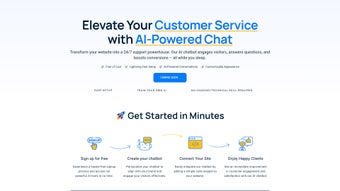
After creating an account, IntelliChat generates a unique JavaScript snippet that looks like a short line of code. You simply copy this snippet and paste it right before the closing tag on any page you wish to activate the chatbot. Because the script loads asynchronously, it does not block page rendering or affect Core Web Vitals scores. For users of Shopify, Wix, or WordPress, IntelliChat offers dedicated apps that automate the process: install the app, input your API key, and the bot appears instantly on your storefront. Even developers working with custom frameworks can use the same snippet or call the REST API to embed the widget wherever they need it.
Dashboard – The Control Center
Once the widget is live, the real power lies within the web‑based dashboard. The interface is divided into four main tabs: Conversations, Knowledge Base, Automation, and Analytics. In Conversations, you can view live chats, filter by visitor intent, and manually intervene if needed.
The Knowledge Base allows you to import CSV files of FAQs, link directly to existing help‑center articles, or type answers manually. Every entry is version‑controlled, so you can roll back changes if a mistake slips in. The Automation tab provides a visual flow builder where you set conditional logic—such as “if a visitor mentions refund, show the refund policy and then route to a live agent”.
You can also create quick‑reply buttons, collect user feedback, and trigger webhook events that push data to external services. Finally, the Analytics section presents charts and tables that break down metrics like average response time, conversion lift, and user satisfaction (CSAT) scores. All changes are saved in real time; there is no “publish” button, which encourages experimentation without risk.
Operating System & Device Support
Because IntelliChat runs entirely in the browser, it is compatible with any operating system that supports modern JavaScript—Windows, macOS, Linux, Android, and iOS are all covered. The responsive UI adapts to desktop monitors, tablets, and smartphones, guaranteeing a consistent experience for every visitor regardless of device. Backend services are hosted on Amazon Web Services (AWS) across multiple regions, delivering low latency and high availability worldwide. This cloud‑native approach means you never need to worry about server maintenance, scaling, or patch management; IntelliChat handles it all behind the scenes.
Pros, Cons & Frequently Asked Questions
Pros
- Fast, code‑free setup suitable for non‑technical users.
- Highly customizable responses that align with brand voice.
- Robust analytics help quantify the chatbot’s impact on conversions.
- Multi‑language capability expands reach to global markets.
- Secure, GDPR‑compliant data handling builds trust with customers.
- Seamless integrations with major CRMs and ecommerce platforms.
- Automatic AI model updates keep the bot current without effort.
Cons
- Subscription pricing may be a barrier for very small hobby sites.
- Advanced AI features such as sentiment analysis are limited to higher‑tier plans.
- Initial knowledge‑base creation requires time and careful curation.
- Complex escalation rules can become intricate for large support teams.
- While the UI is intuitive, power users may miss deeper scripting capabilities.
FAQ
How does IntelliChat handle data privacy?
All chat data is encrypted in transit using TLS 1.3 and at rest with AES‑256. The platform adheres to GDPR and CCPA guidelines, offering options to delete user data on request and to host data in specific regions for compliance.
Can I integrate IntelliChat with my existing CRM?
Yes. IntelliChat provides webhook endpoints and native integrations with popular CRMs such as HubSpot, Salesforce, and Zoho. You can push conversation transcripts, lead information, and intent tags directly into your CRM for follow‑up.
Do I need any coding skills to customize the bot?
No. The drag‑and‑drop flow builder lets you create conversation paths, add quick‑reply buttons, and set conditional logic without writing code. For power users, a custom scripting panel is available to add advanced logic.
What happens if the bot cannot answer a question?
You can configure escalation rules so that unresolved queries are automatically transferred to a live agent, or the bot can display a fallback message with contact details and a link to a support ticket form.
Is there a free trial available?
IntelliChat offers a 14‑day free trial on all plans. You get full access to the dashboard, analytics, and integrations, allowing you to evaluate the bot’s impact before committing to a paid subscription.
Can the chatbot handle multiple languages simultaneously?
Yes. IntelliChat automatically detects the visitor’s language and switches to the appropriate language model. You can upload translations for FAQs or let the AI generate responses in the supported languages.
Conclusion & Call to Action
If you’re looking to elevate your website’s customer service without expanding your support staff, IntelliChat delivers a compelling mix of AI intelligence, ease of use, and enterprise‑grade security. The ability to customize every response ensures the bot feels like an extension of your brand, while the built‑in analytics prove its ROI in real time. Although the subscription model may require a modest investment, the uplift in conversion rates, reduced ticket volume, and round‑the‑clock availability often outweigh the cost. Ready to give your visitors the instant help they crave? Start your free trial today, and experience how a smart chatbot can turn casual browsers into satisfied customers.



.png)



